
How the SERP Tracker Works
Add your site and keywords
Enter your website and the keywords you want to rank for, one per line.
Pick where your customers search
Choose the country, and a city if you serve one area. We check Google as it looks from there.
Watch your positions move
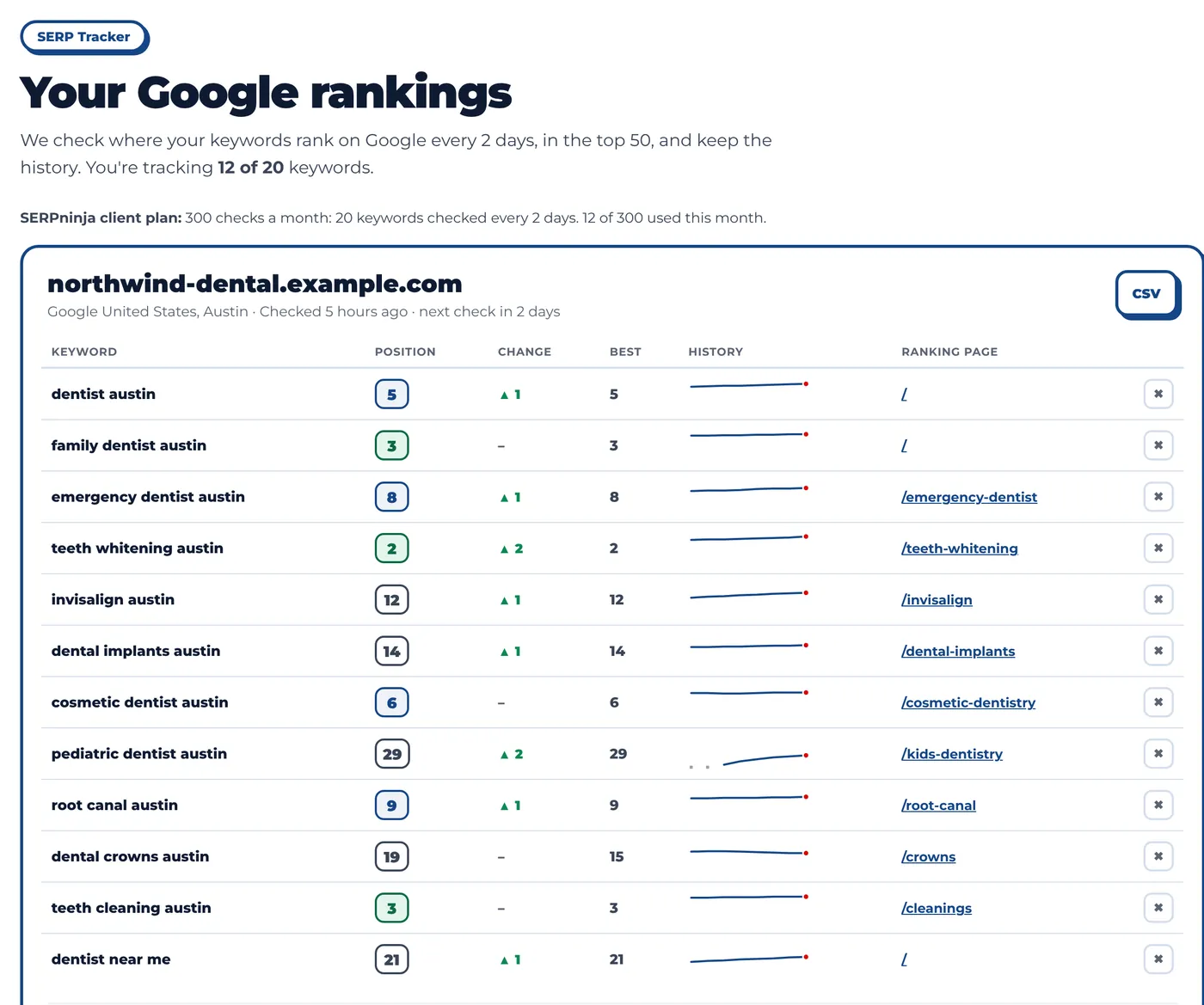
Each keyword is checked as soon as you add it, then every 2 days in Google’s top 50: the change, your best position and the page that ranks.
Inside the SERP Tracker
Real screens from the app, with demo data.
Your rankings at a glance
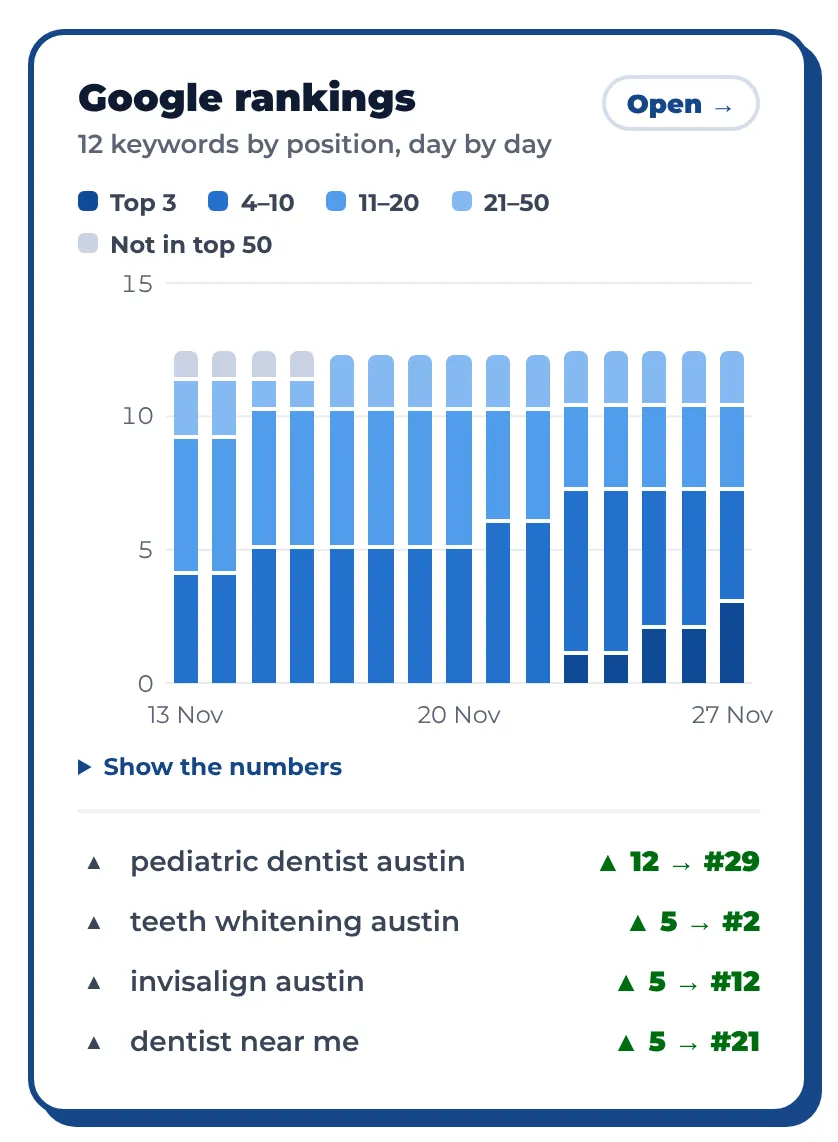
Your dashboard stacks every keyword by its position, day by day, so you see how many sit in the top 3, the top 10 and the top 20, and how that changes. Below the chart: the keywords that climbed or dropped the most.
- The top 3, top 10, top 20 and top 50, day by day
- The biggest climbers and drops
- Next to your AI visibility, site health and content scores
Everything in the SERP Tracker
Positions in the top 50
Your Google position for every keyword, checked every 2 days and when you add it.
Local results
Choose the country and the city: Google shows different results in each.
What moved
The change since the last check, and your best position yet.
The page that ranks
Which of your pages Google shows for each keyword, so you know what to improve.
History and trends
A trend line for every keyword, and the full history to download as CSV.
On your dashboard
Your rankings next to your AI visibility, site health and content scores.
Why Track Your Rankings?
Google Search Console shows your average position across every place and device. That average hides what a customer in your city actually sees. A rank tracker checks the same keywords, in the same place, on a schedule, so you see real positions and real movement.
That makes it easy to see what worked. Publish a page, build links or fix a title, and you can watch the keywords it targets climb, or catch a drop before it costs you customers.
Who it’s for
- Local businessesSee where you rank in your own city, not a national average.
- SEO agenciesTrack client keywords and export the history for reports.
- Link building campaignsSee which pages climb after new links go live.
- Content teamsWatch new articles find their place in Google.
Free to Start
Free
30 checks a monthTrack 2 keywords, checked every 2 days, in any country and city. No credit card.
Spend $1,000+ a month with SERPninja
300 checks a monthTrack 20 keywords, checked every 2 days. Much higher limits on every SERPninja tool. Talk to us.
SERP Tracker FAQs
Is the SERP Tracker free?
Yes. A free SERPninja account tracks 2 keywords, checked every 2 days (30 checks a month). No credit card.
How often are rankings checked?
Every 2 days, and right away when you add a keyword. We read Google’s top 50 in your country and city.
Can I track local rankings?
Yes. Pick the country and add a city, and we check Google as it looks there.
What do I see for each keyword?
Its position in Google’s top 50, the change since the last check, your best position yet, a history line and the page of yours that ranks.
Can I download my rankings?
Yes. Every keyword and every check downloads as a CSV file, ready for a spreadsheet or a client report.
Do I need an account?
Yes, a free SERPninja account. Your keywords and their history are saved there, and the same account opens every SERPninja tool.
See Where You Rank Today
Free, no credit card. Built by SERPninja: 10+ years in link building, 4.6 on Trustpilot.
Track My Keywords