

Key Takeaways
- Google doesn’t “punish” duplicate content — it filters it, showing only one version in search results.
- A duplicate content set happens when Google groups your new page with an older, similar page on your site.
- Near-identical text, thin rewrites, and reused templates are the usual triggers.
- The fix is simple: diagnose it, make the page genuinely different, then redirect Google’s attention to it.
- Once your page is indexed again, backlinks from a trusted source like SERPNinja push it up the rankings.
You hit publish on a post you’re proud of. A few days pass. You search your own title on Google, and… nothing. Your homepage shows up. Maybe an old post. But not the new one.
If that sounds familiar, take a breath — your content probably isn’t the problem. Google likely grouped your new page into a “duplicate content set” — a cluster of pages it considers too similar to show separately.
This is one of the most common duplicate content SEO issues out there, and it’s easier to fix than it seems.
What Does It Mean When Google Puts Your Page Into a “Duplicate Content Set”?
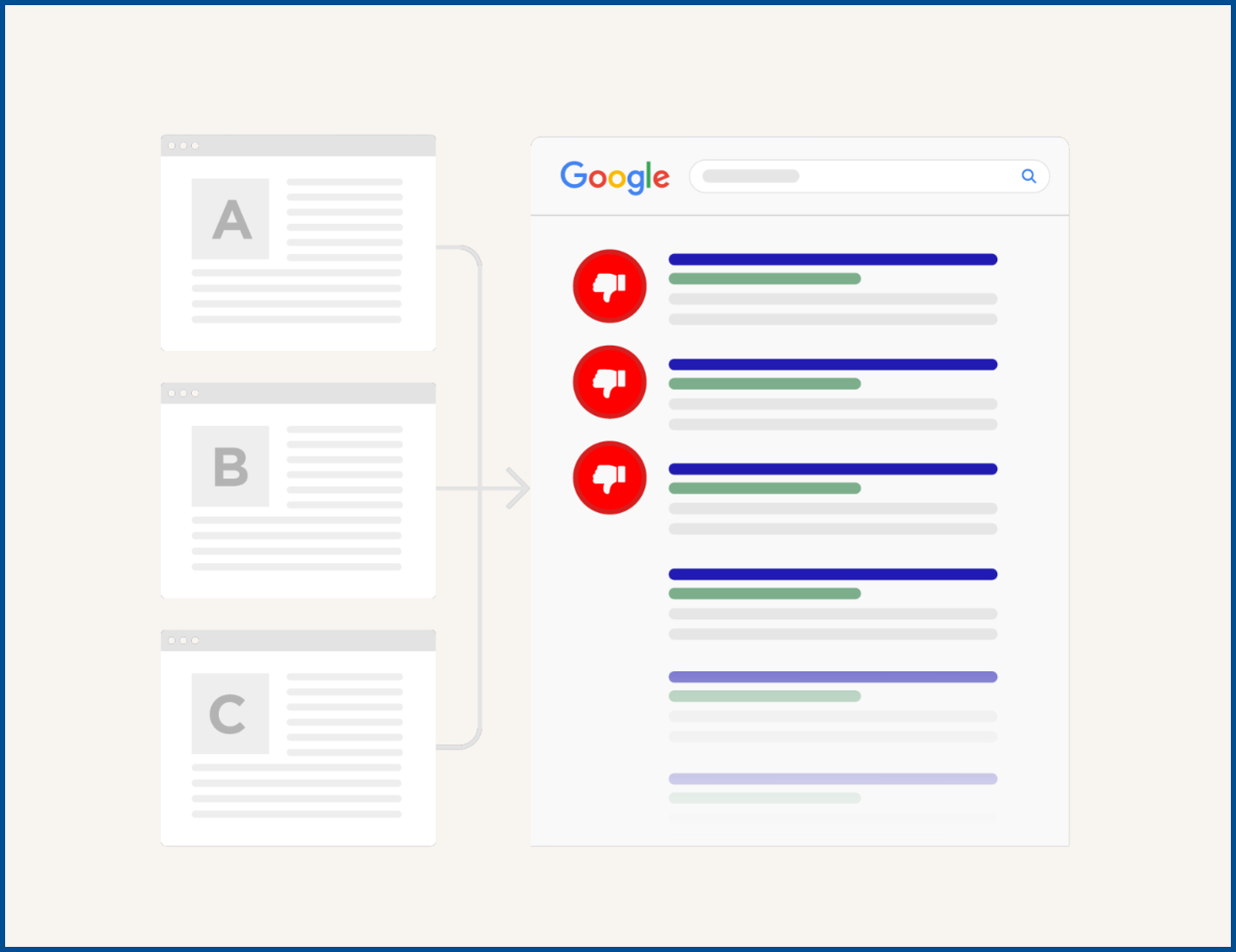
Google’s job is to give searchers the best answer to their query, not five pages saying the same thing. So when it spots highly similar pages, it groups them into a cluster and picks one “canonical” page to show in results. The rest get set aside — unindexed, not deleted.
Here’s the reassuring part: this isn’t a manual penalty. It’s an automated filtering decision, and that means it’s fixable.
You’ll usually spot this in Search Console’s Page Indexing report, under statuses like:
- Duplicate without user-selected canonical — Google found similar pages and picked its own canonical since you didn’t specify one
- Duplicate, Google chose different canonical than user — you specified a preferred page, but Google’s algorithm picked a different one anyway
Common causes include:
- Near-identical text or product descriptions repeated across pages
- Thin rewrites — a “new” post that mostly reshuffles an older one
- Reused templates, like local pages that only swap out a city name
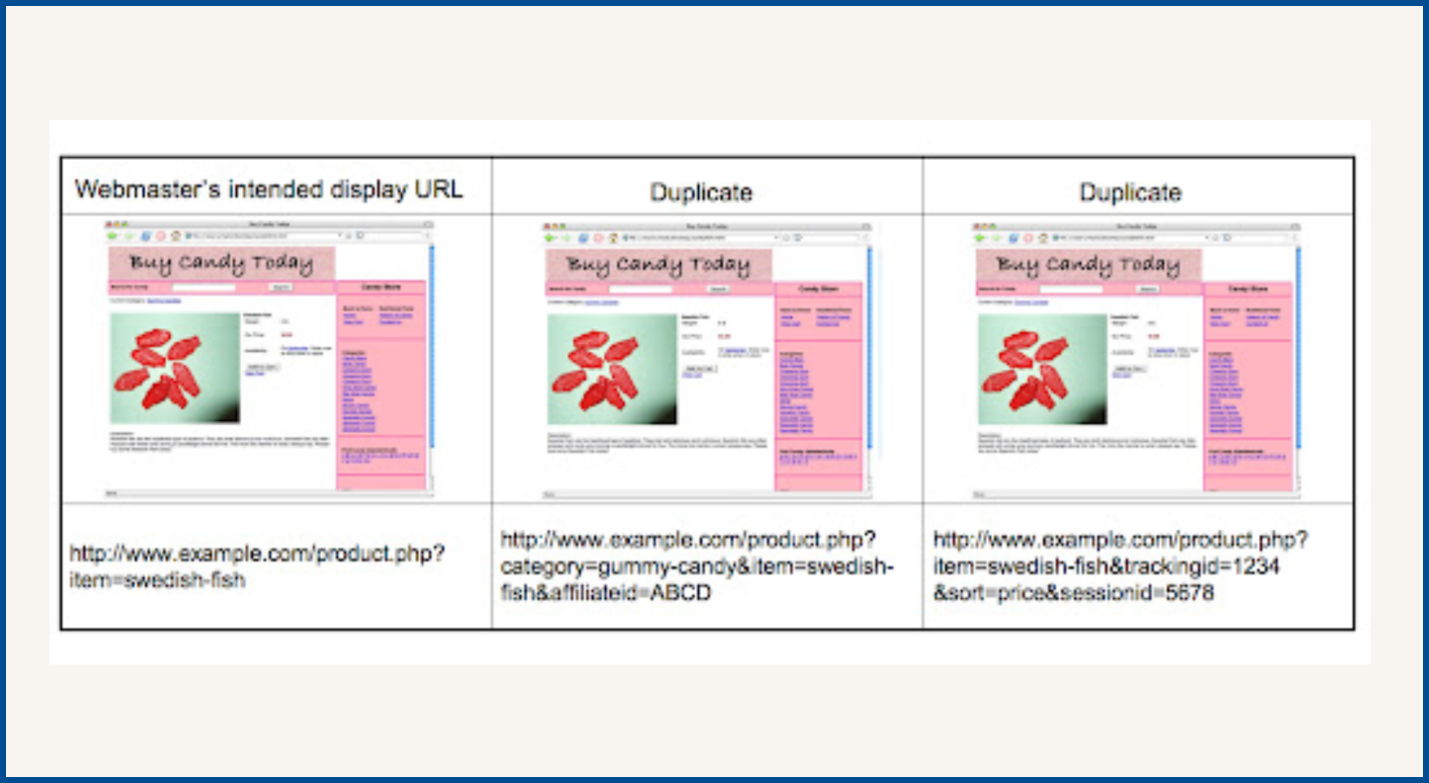
- URL variations, like the same page reachable through different parameters
Why Would Google Think Your Brand-New Post Is a Duplicate?
Your post is new to you — you wrote it last week. But Google compares structure, headers, and phrasing against everything already indexed on your site — not just publish dates.
Say you run a plumbing business and published “Water Heater Repair Tips” in 2023. Two years later, you publish “How to Fix a Water Heater” with similar headers and the same examples. To Google, that looks less like a fresh resource and more like an unfinished rewrite. Drafts that come back from a freelance writer often carry that same flatness, with evenly paced sentences and repeated vocabulary that make two posts read as one. Running the file through a free ai detector before it reaches your CMS gives a percentage likelihood instead of a yes-or-no verdict and colour-codes the passages that read machine-written, so you know which sections need a genuine rewrite rather than a reshuffle.
E-commerce runs into this constantly, too — a “blue medium t-shirt” page and a “red medium t-shirt” page often share 90% of the same description. In fact, Google engineer Matt Cutts once put the figure at a quarter to a third of everything on the web.
None of this means your writing is weak — the new page just needs its own reason to exist.
The 3-Step Fix to Get Back in Google’s Good Graces

This is fixable, and it usually doesn’t take long.
Step 1: Find out what’s actually happening.
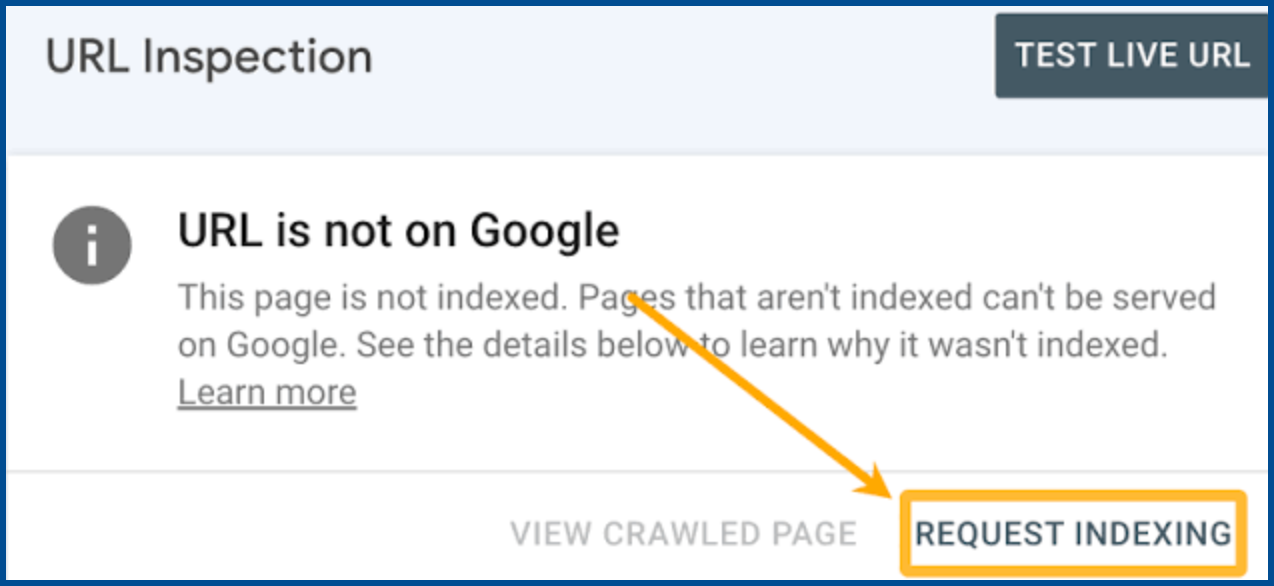
Open the Page Indexing report in Search Console and look for the duplicate statuses above. Then run your page through the URL Inspection tool to see which page Google picked as canonical instead.
Step 2: Make the new page genuinely different.
Don’t just reword sentences — add updated data, new examples, a different angle, or answers the original never covered.
Step 3: Point Google to the right page.
Update internal links so they point to the version you want featured, and double-check your canonical tags. If the pages are still too similar, merge them or add a 301 redirect, then request indexing again.
Getting Indexed Is Great — But Ranking Is a Different Game
Once Google agrees your page deserves its own spot in the index, you’ve cleared a real hurdle. But indexed doesn’t mean visible — plenty of indexed pages still sit on page four, invisible to anyone who isn’t scrolling that far.
That’s because indexing makes you eligible to rank, not a top contender — and that comes down to authority, built through high-quality backlinks from sites Google already trusts.
This is exactly where SERPNinja comes in — connecting your page with real, high-authority backlinks through niche edits and guest posts on established sites, built to move it up the rankings.
Conclusion
Finding out Google won’t index your page can feel personal, but it rarely is — usually it just means your new content needs to stand on its own.
Diagnose the issue, make the page genuinely unique, and point Google in the right direction, and your content will usually find its way back into search results.
From there, the real growth work begins. Pairing a properly indexed page with strong backlinks from SERPninja is how you turn “Google can see my page” into “Google shows my page first.” That’s the finish line for duplicate content SEO.
FAQs
Is duplicate content a Google penalty?
No — this is one of the biggest duplicate content SEO myths out there. Google filters and consolidates similar pages so only one shows in results, rather than issuing a manual penalty.
How do I know if my page is stuck in a duplicate content set?
Check the Page Indexing report in Search Console for duplicate statuses, then confirm with the URL Inspection tool.
Can duplicate content hurt more than just one page?
Yes. On larger sites, too much overlap can waste crawl budget and split ranking signals sitewide.
Do I need to delete the older page?
Not always. If both offer distinct value, keep and differentiate them. If they truly overlap, merging or redirecting is cleaner.
How long does re-indexing take after I fix it?
Usually a few days to a few weeks. Requesting indexing through Search Console can speed things up.


